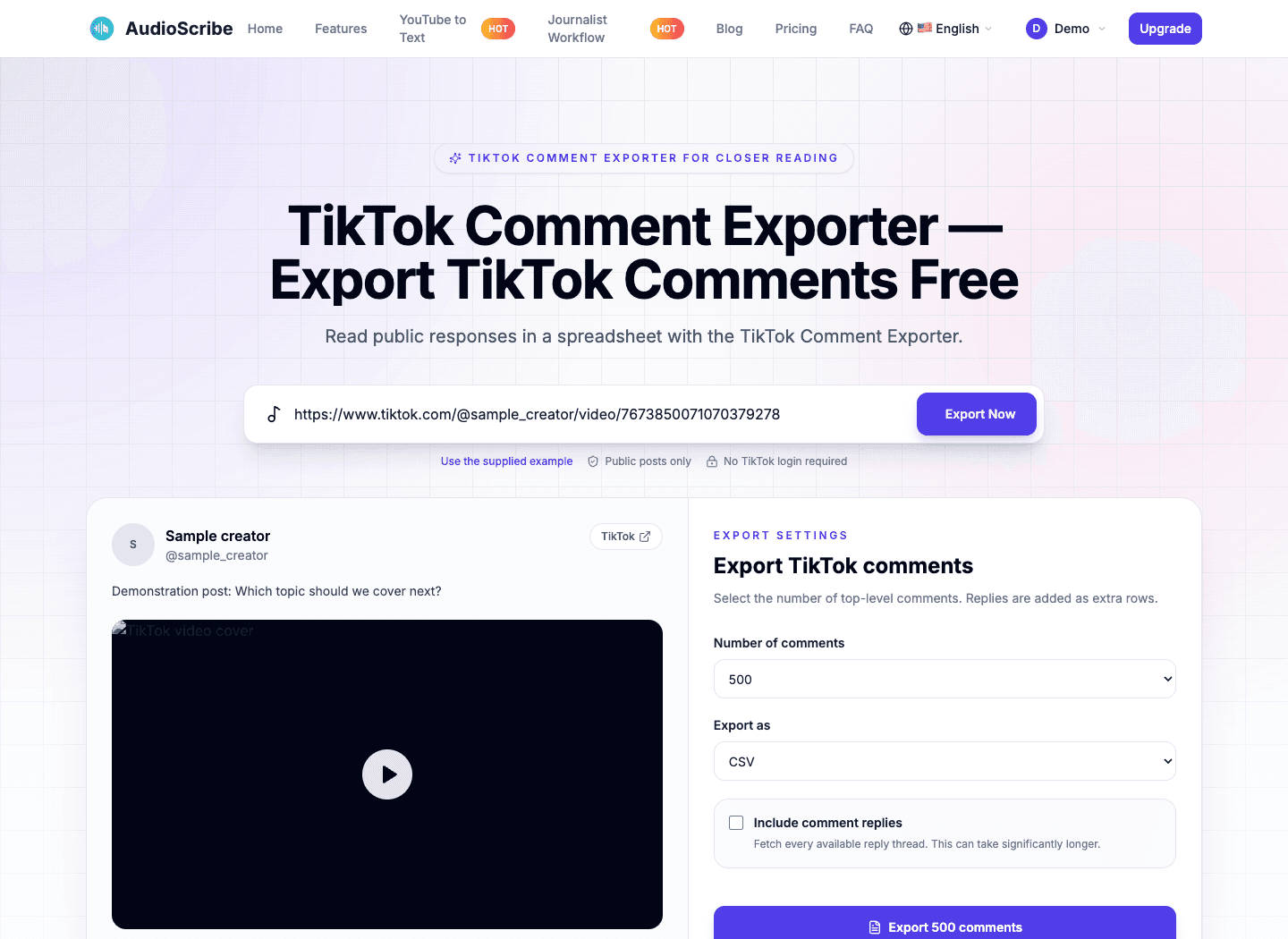
Read public responses in a spreadsheet with the TikTok Comment Exporter.
Free AudioScribe sign-in
Public conversations only
Optional reply threads
Download CSV or XLSX
How it works
Build a Working File with the TikTok Comment Exporter
A moving comment feed is difficult to cite, annotate, or compare. The TikTok Comment Exporter helps you create a working copy of available public responses. ExportTok users can bring an existing spreadsheet review process into AudioScribe without learning a complex collection dashboard. Check the post in the TikTok comment viewer first. When you export TikTok comments, choose a sample size that matches your question and keep a note of when the collection was made.
Public TikTok link
tiktok.com/@creator/video/...
Link copied
1. Locate your source
Copy the address of a public video or photo post. The TikTok Comment Exporter recognizes supported sharing links and strips ordinary tracking details before requesting the public data.
Paste TikTok URL…Export Now
PreviewChooseExport
2. Read the initial sample
Enter the URL in the TikTok Comment Exporter, select Export Now, and sign in to AudioScribe. Check the author, caption, and available comments in the TikTok comment viewer before deciding whether the post belongs in your material.
Export settings
500 comments · CSV
Download comments
3. Define the collection
Choose a comment limit and file format. Include replies when parent-child relationships matter. The TikTok Comment Exporter collects additional pages and builds your spreadsheet in the current browser session.
Fast, clear, flexible
TikTok Comment Exporter for Focused Reading
Why it feels faster · 01
Manual copying breaks concentration and often drops the details that explain a response. The TikTok Comment Exporter keeps available text, identifiers, and engagement information together so you can return to interpretation with a consistent working file.
Why it feels faster · 02
Export TikTok comments after checking the initial sample in the TikTok comment viewer. If you have used ExportTok, the link-to-table sequence will feel familiar, while AudioScribe keeps the collection controls beside the source preview.
A direct starting point
The TikTok Comment Exporter begins with a public address. You do not need scripts, browser add-ons, or a collection of session cookies to inspect a supported post.
A sample worth checking
Use the TikTok comment viewer to read the caption and responses together. Confirming context early helps you avoid annotating a conversation that does not match your research question.
A deliberate sample size
Choose the top-level limit and whether to collect replies. You can export TikTok comments as CSV or Excel using familiar ExportTok-style settings, without committing to the largest available job.
An illustrative TikTok Comment Exporter workspace with sample data: inspect the source and choose the scope before starting a detailed review.
Practical use cases
TikTok Comment Exporter for Organized Source Review
The TikTok Comment Exporter can support source discovery, audience research, and organized review. The TikTok comment viewer helps with context; a download supports annotation. When you export TikTok comments through an ExportTok-style workflow, document what your sample includes.
Prepare interview questions
Use the TikTok Comment Exporter to collect recurring concerns before an interview. Distinguish a frequently repeated question from a single striking comment when drafting your notes.
Gather audience feedback
Export TikTok comments into a sheet where you can mark themes, uncertainty, and competing interpretations. Keep the original wording beside your labels so another reviewer can assess your reading.
Build a response list
Scan the TikTok comment viewer for questions that need follow-up. Save available public rows for a later review session without repeatedly searching through the same feed.
Review public entries
The TikTok Comment Exporter retains available IDs and usernames for a comment-based promotion. Apply eligibility and selection rules yourself, keeping the source list separate from your final decisions.
Compare expressions and tone
Readers familiar with ExportTok can use the TikTok Comment Exporter table for qualitative coding. Group phrases carefully and read connected replies before treating an isolated statement as evidence of a wider opinion.
Record a bounded dataset
Export TikTok comments for an authorized study, noting the date and provider limits. The TikTok Comment Exporter creates a retrievable sample, not proof that every historical response has been captured.
Clean, normalized data
Context Preserved by the TikTok Comment Exporter
Export detail · 01
Comment text is only one part of a reviewable record. The TikTok Comment Exporter separates identifiers, author information, dates, engagement, and reply relationships. Export TikTok comments with these fields intact so your annotations can remain connected to the collected source.
Export detail · 02
The TikTok comment viewer presents data from the same normalized structure used for downloads. Unavailable values stay blank. ExportTok users can map the predictable headers into a coding sheet without guessing what each provider-specific field means.
Export detail · 03
Add a separate column for your own observations after downloading. The TikTok Comment Exporter retains parent IDs alongside comment IDs, which helps reconstruct available reply context. Preserve these identifiers when editing a shared copy so the TikTok Comment Exporter record remains useful to a second reviewer.
Export formats
TikTok Comment Exporter Formats for Your Notes
The TikTok Comment Exporter offers a text-based CSV and a formatted Excel workbook. Inspect the source in the TikTok comment viewer, then export TikTok comments in whichever format your review software accepts. ExportTok-style format controls sit with the other collection settings.
CSV
Choose the TikTok Comment Exporter CSV for imports and portable text. Quotes and embedded newlines are escaped, international characters use UTF-8, and formula-like prefixes are protected when opened in a spreadsheet.
Excel (.xlsx)
Use the TikTok Comment Exporter workbook when you want to begin reading immediately. Frozen headers, column filters, and set widths help keep identifiers and text legible across a longer collection.
Designed around real work
Document Your TikTok Comment Exporter Collection
The TikTok Comment Exporter supplies a collection step you can describe in your notes. Read a sample with the TikTok comment viewer and export TikTok comments at a chosen limit. Like an ExportTok-style workflow, the process uses public information without requesting TikTok credentials.
Top-level collection limit
Up to 20,000
Request up to 20,000 top-level rows with the TikTok Comment Exporter. Public availability and provider pagination determine how many can actually be returned.
Available file types
CSV + Excel
Export TikTok comments as CSV for another tool or XLSX for direct reading, using the same normalized columns.
TikTok credentials shared
Zero
Sign in to AudioScribe to access the TikTok comment viewer. Your TikTok password and session cookies are never requested.
Workflow
Interview preparation
The TikTok Comment Exporter helps you assemble public questions before deciding which topics deserve a longer conversation.
Workflow
Audience listening
Read a sample in the TikTok comment viewer, then mark repeated concerns in your downloaded file without losing the wording behind a theme.
Workflow
Collaborative annotation
Share an ExportTok-style table with another reviewer and keep interpretations in separate columns so differences can be discussed against the same source text.
Workflow
Community follow-up
Export TikTok comments with the TikTok Comment Exporter into a reading queue, record questions that need attention, and revisit the original post when a response is appropriate.
Workflow
Methods documentation
Describe the source URL, requested limit, and retrieval date beside the TikTok Comment Exporter output. Note unavailable replies or incomplete collection explicitly.
Workflow
Repeatable source checks
Keep a fresh TikTok Comment Exporter file for each collection session. Comparing dated copies is clearer than overwriting earlier notes or assuming that a public conversation never changes.
TikTok export FAQ
Questions About Your TikTok Comment Exporter File
Understand the sample you are collecting before you use it. These answers cover the TikTok comment viewer, spreadsheet fields, and practical differences to check when evaluating ExportTok-style tools.
Is there a charge to use the TikTok Comment Exporter?
There is no payment step for the current preview and export workflow. You need a free AudioScribe account to access it. If you are assessing ExportTok alternatives, compare the available limits and file options for your particular collection task.
Why does the TikTok Comment Exporter show a login prompt?
AudioScribe requires its own free account before loading a post or requesting comments. You may paste the link first; after sign-in, the tool resumes that pending request. You can then inspect the sample and export TikTok comments from the settings panel.
Will the TikTok comment viewer ask for TikTok credentials?
It does not ask for your TikTok password, cookies, or authorization. The TikTok Comment Exporter requests public data through a server-side provider. Having the URL does not make a private, deleted, restricted, or region-blocked post accessible.
Which source URLs can I use?
Supported inputs include public TikTok video and photo-post addresses plus standard share links. The TikTok Comment Exporter normalizes ordinary tracking parameters. Availability still depends on the post and upstream service, a limitation to consider with ExportTok as well.
How large can my sample be?
The selector offers 500 through 20,000 top-level comments, plus all available within that cap. Export TikTok comments at the smallest useful scope for your task. Provider exhaustion, unavailable rows, or pagination problems can produce a smaller file.
Can the TikTok Comment Exporter preserve reply context?
Choose Include comment replies to request available threads for the collected parents. Replies become additional rows with parent references, subject to a separate safety limit. This needs more requests and takes longer than collecting top-level text alone.
Which format should I choose for coding comments?
The TikTok Comment Exporter CSV suits imports into analysis software. XLSX is convenient for spreadsheet reading because filters and frozen headers are included. Both export TikTok comments using the same normalized fields; your later annotations are separate from the source data.
Does the TikTok Comment Exporter fill gaps in the data?
No. When the provider omits a field, that value remains blank. Available text, identifiers, profile details, dates, engagement counts, and parent relationships are retained without inventing missing facts. Treat empty cells as unavailable information during analysis.
What leaves my browser during a request?
The TikTok comment viewer receives public information through AudioScribe and its configured provider. The provider credential stays on the server; file assembly happens locally. As with ExportTok, use the downloaded personal information only within the scope appropriate to your work.
Does the TikTok Comment Exporter capture every visible response?
A displayed TikTok counter is not a guarantee of retrievable rows. Comments can be deleted, moderated, or unavailable in the provider region. Collection ends at the requested cap, provider exhaustion, or an unresolved pagination problem, with a notice when results may be incomplete.
Begin with a source you can identify
Export TikTok Comments Into Your Research Notes
Enter a public URL in the TikTok Comment Exporter and read the sample through the TikTok comment viewer. Then save an ExportTok-style working file with the scope and format that fit your review.