
The Complete Guide to Converting Audio to Text: Practical Steps for Clear Results
Learn how to transform spoken words into accurate written text with this comprehensive guide covering preparation, tool selection, workflow optimization, and practical applications.
AudioScribe Editorial Team
Why Quality Transcription Matters
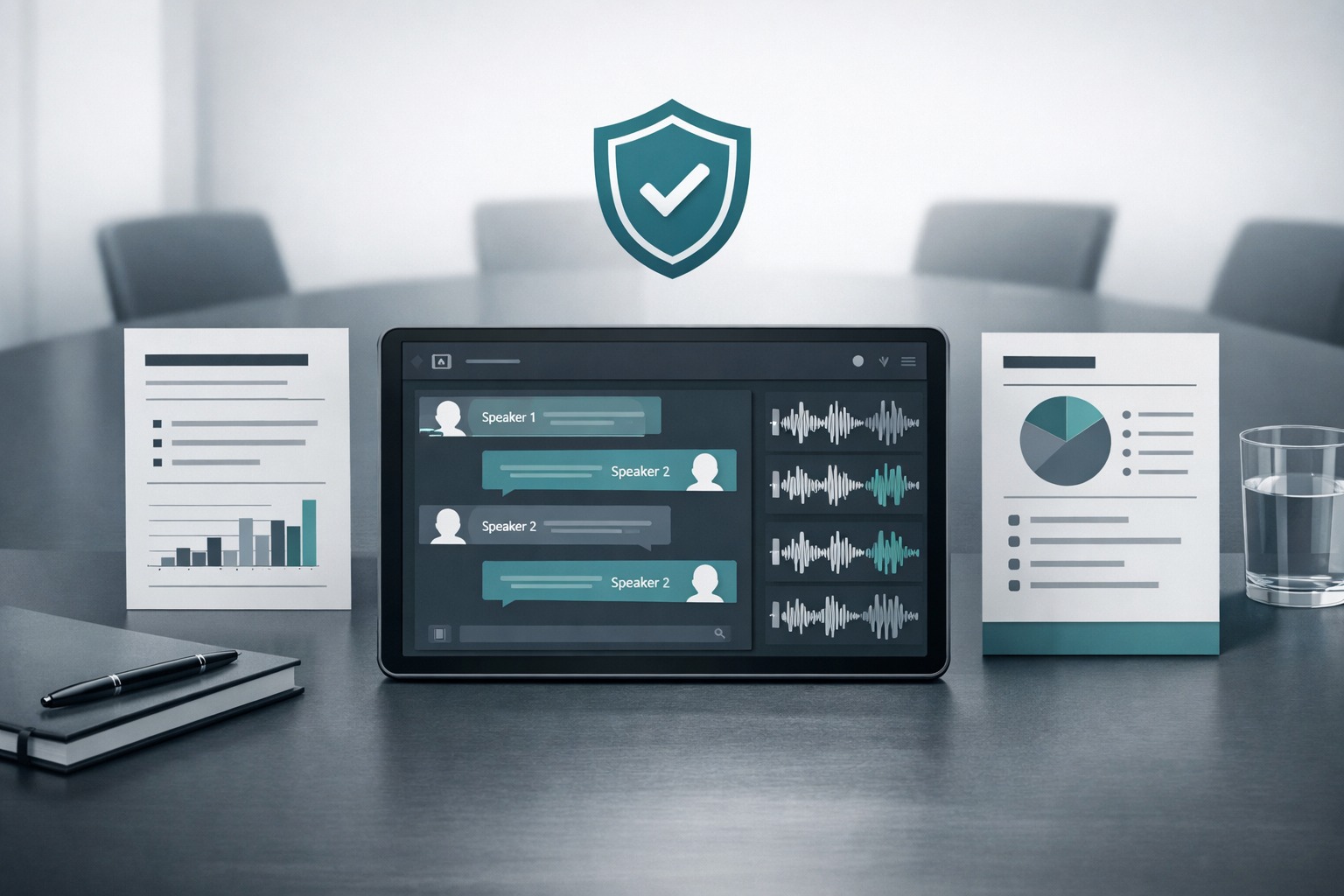
High-quality transcription serves multiple purposes beyond simple text conversion. When you convert audio to text effectively, you create searchable documents that save countless hours of listening time. Professionals use transcriptions for legal documentation, academic research, and content repurposing, while businesses rely on them for meeting records and customer service improvements.
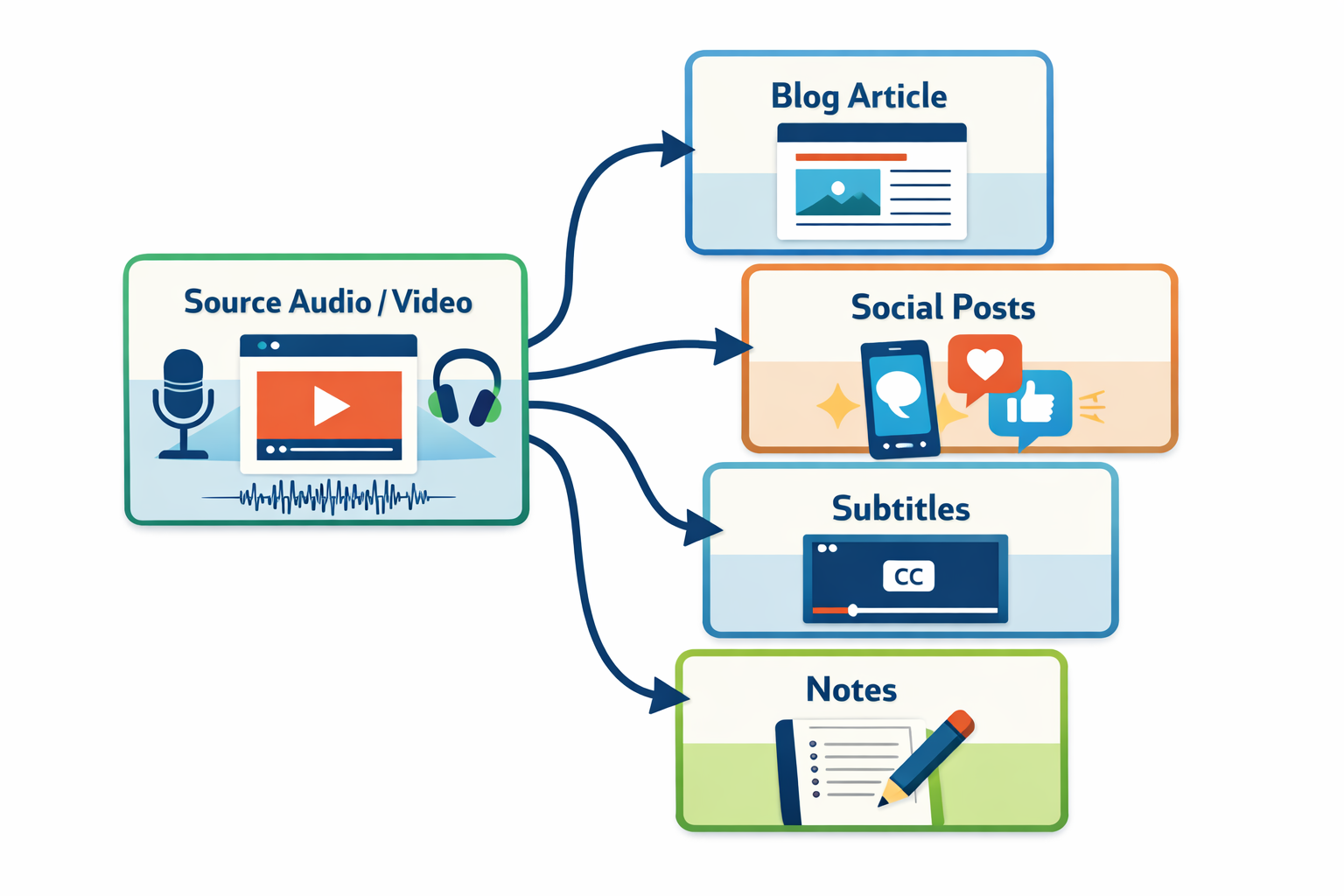
Accurate transcription audio to text processes ensure that subtle nuances, technical terminology, and speaker distinctions remain intact. This prevents misinterpretations that could lead to errors in medical records, legal proceedings, or educational materials. For content creators, well-transcribed text becomes the foundation for blog posts, social media content, and search-engine-optimized materials that reach wider audiences.
Accessibility represents another crucial benefit. Transcripts make audio and video content available to hearing-impaired audiences, comply with accessibility regulations, and support multilingual audiences through translation. When you invest in quality transcription, you're not just converting sound to text—you're building a versatile content asset that serves multiple purposes across different platforms and audiences. Explore our comprehensive tools page to discover features that enhance transcription quality for various use cases.
Need to process a file now? Start from the home uploader for a quick upload.
Professional Transcription Workflow
Key Benefits of Professional Transcription
Time Efficiency
Convert hours of audio to searchable text in minutes, eliminating manual listening and typing
Content Accessibility
Make audio and video content available to hearing-impaired audiences and non-native speakers
Search Optimization
Create text content that search engines can index, improving discoverability and SEO performance
Content Repurposing
Transform interviews and presentations into blog posts, social media content, and educational materials
Transcription Method Comparison
Evaluate different approaches to transcription audio to text based on your specific needs and resources
| Method | Accuracy | Speed | Cost | Best For |
|---|---|---|---|---|
Manual Transcription | Highest (98-99%) | Slow (4-6x real time) | High | Legal documents, medical records, academic research |
AI-Powered Tools | Good (85-95%) | Fast (real time to 2x) | Low to moderate | Meetings, interviews, content creation, general business use |
Hybrid Approach | Excellent (95-98%) | Moderate (2-4x real time) | Moderate | Technical content, multiple speakers, accented speech |
DIY Software | Variable (70-90%) | Fast (real time) | One-time purchase | Personal projects, basic documentation, budget-conscious users |
Audio Quality Impact on Transcription
Tool Interface Features
- Audio Preparation: Start with clear recordings by using quality microphones, minimizing background noise, and ensuring speakers articulate clearly. Proper preparation can improve transcription accuracy by 30-50%.
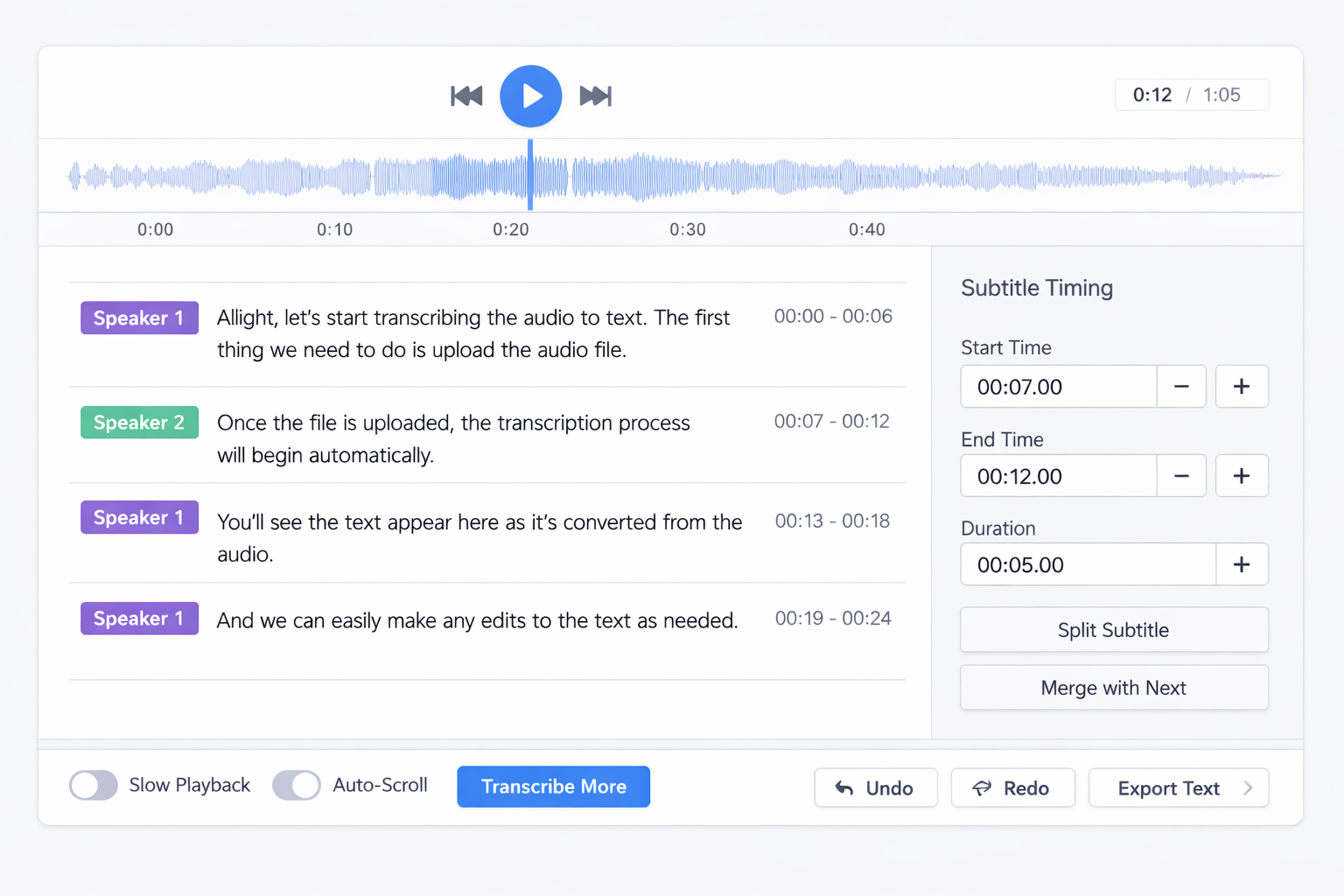
- Speaker Identification: When dealing with multiple speakers, note who is speaking or use tools that automatically distinguish between voices. This creates more organized, readable transcripts.
- Format Consistency: Establish formatting standards for timestamps, speaker labels, and special notations before beginning transcription. Consistency saves editing time and improves document usability.
- Quality Review: Always review automated transcriptions for errors, especially with technical terms, proper names, and industry-specific vocabulary that AI might misinterpret.
Pro Tip
For best results with transcription audio to text, provide context about your content when possible. Many tools perform better when they know whether they're transcribing medical terminology, legal proceedings, or casual conversations.
Expert Insight
According to content strategy professionals,
Transcription isn't just about converting audio to text—it's about creating accessible, searchable, and repurposable content assets that extend the value of your original recordings.
This perspective highlights why investing in quality transcription processes delivers long-term benefits beyond immediate text conversion needs.
Workflow Optimization
Step-by-Step Production Workflow
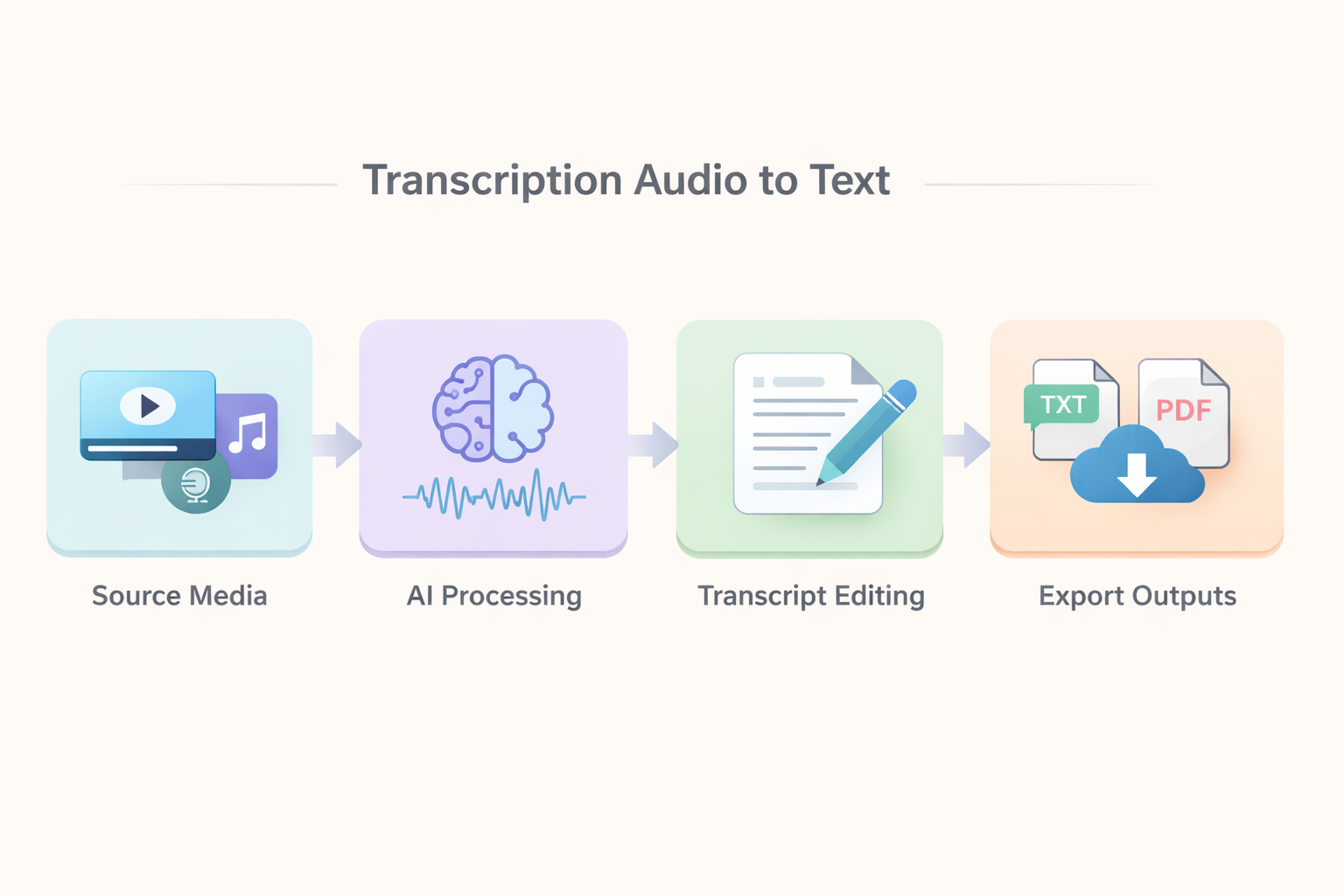
Implementing a systematic approach to transcription audio to text ensures consistent quality and efficiency. Begin by gathering all necessary audio files and organizing them logically. Check audio quality and make enhancement adjustments if needed before starting the transcription process.
Upload your prepared audio to your chosen transcription tool. Most modern solutions accept various formats including MP3, WAV, and M4A files. During upload, specify any special requirements such as speaker identification needs, technical vocabulary, or formatting preferences. These settings help the tool provide more accurate initial results.
Once transcription begins, monitor progress and be prepared to make corrections. Even the best automated tools occasionally misinterpret words, especially with accents, technical terms, or overlapping speech. Use the editing interface to correct errors, add speaker labels, and insert timestamps where helpful for reference.
After completing the initial transcription, conduct a thorough review. Read through the text while listening to the original audio to catch any remaining errors. Pay special attention to proper names, numbers, and industry-specific terminology that automated systems often struggle with. Format the final document according to your intended use—whether that's plain text for searchability, formatted documents for publication, or time-coded transcripts for video synchronization.
FAQ and Rollout Guidance
How long does transcription typically take? Automated tools can transcribe audio in real-time or faster, while manual methods take 4-6 times the audio length. Hybrid approaches offer a balance between speed and accuracy.
What audio quality is needed for good results? Clear recordings with minimal background noise yield the best transcription accuracy. Using quality microphones and recording in quiet environments dramatically improves results.
Can transcription tools handle multiple speakers? Most modern solutions can distinguish between different voices, though accuracy improves when speakers have distinct vocal characteristics and don't talk over each other.
How do I handle technical or specialized vocabulary? Many tools allow you to upload custom vocabulary lists or choose industry-specific models. For highly specialized content, consider a hybrid approach with human review.
What formats can I export transcripts in? Common export formats include TXT, DOCX, PDF, SRT (for subtitles), and JSON for integration with other applications.
Implementing transcription audio to text processes in your workflow begins with understanding your specific needs and selecting appropriate tools. Start with a single project to familiarize yourself with the process, then gradually expand to regular transcription tasks. Many organizations find that dedicating specific team members to transcription management improves consistency and efficiency over time.
Ready to transform your audio content? Begin your transcription journey with our audio-to-text converter for immediate results, or explore our complete toolkit for advanced features and workflow integration. Both options provide practical solutions for converting spoken words into valuable written content.
Continue Reading and Start Uploading
- Start now with the home uploader.
- Use the all tools hub to compare workflows.
- Open the blog index for more playbooks.
- Try the audio-to-text workspace for this use case.