
How to Transcribe Audio to Text Online: A Complete Practical Guide
Learn how to efficiently convert spoken words into written text using online tools. This guide covers everything from selecting the right service to editing and repurposing your transcripts for maximum value.
AudioScribe Editorial Team
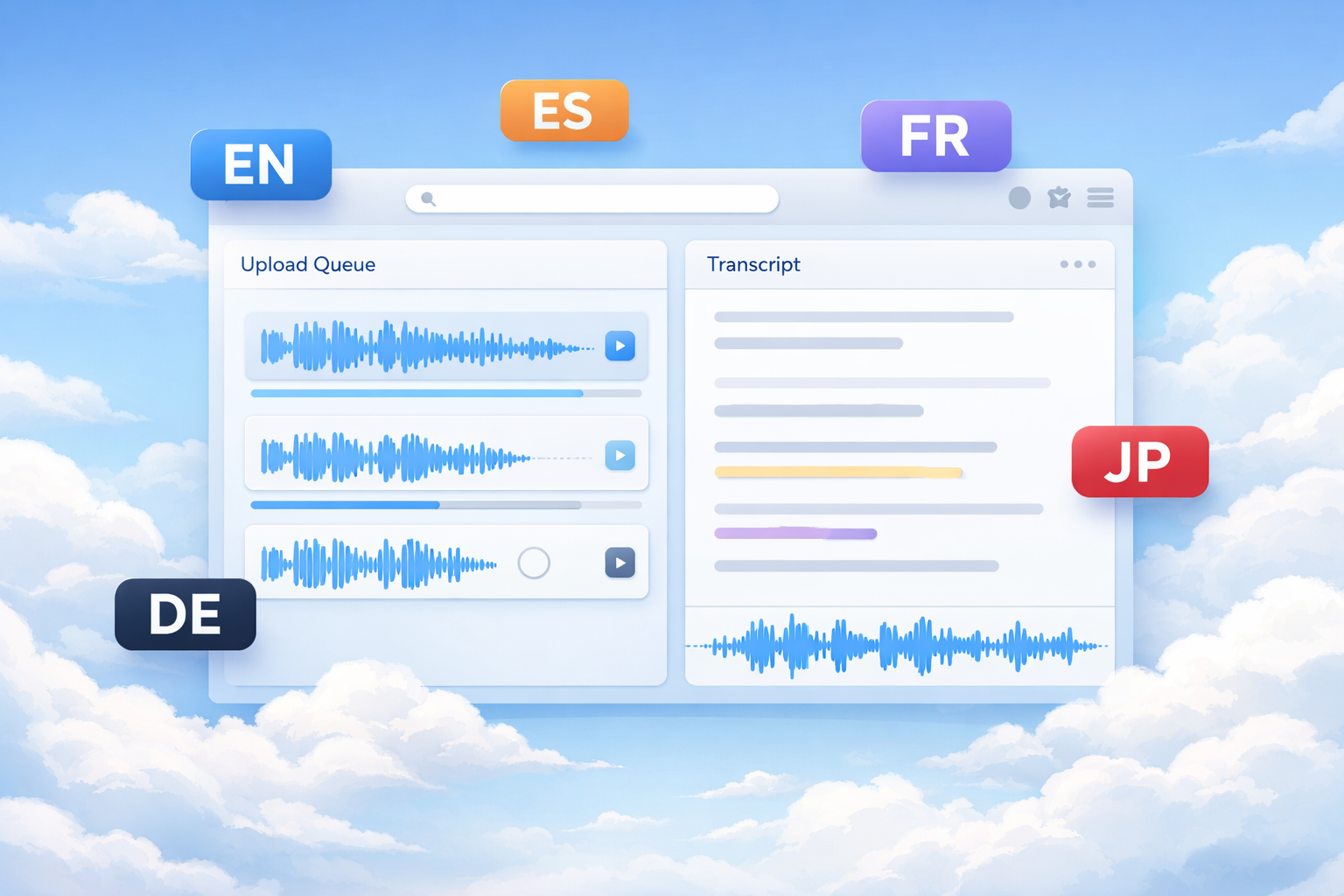
Why Transcribing Audio to Text Online Matters for Your Business
Online transcription services have transformed how we handle spoken content. Instead of manually typing everything out, you can now transcribe audio to text online with remarkable speed and accuracy. This capability isn't just convenient—it creates tangible business value.
Transcripts make your content more accessible to diverse audiences, including those who prefer reading or have hearing impairments. They also improve your SEO efforts since search engines can't listen to audio files but can index text content. By converting podcasts, webinars, and interviews into text, you're creating additional searchable content that can drive organic traffic.
From a productivity standpoint, having written records of meetings and brainstorming sessions ensures nothing gets lost. Team members can reference specific points without rewatching hours of video. For content creators, transcripts provide raw material for blog posts, social media snippets, and email newsletters—effectively multiplying the value of every recording.
Explore our tools page to see how different transcription options can support your specific needs.
Need to process a file now? Start from the home uploader for a quick upload.
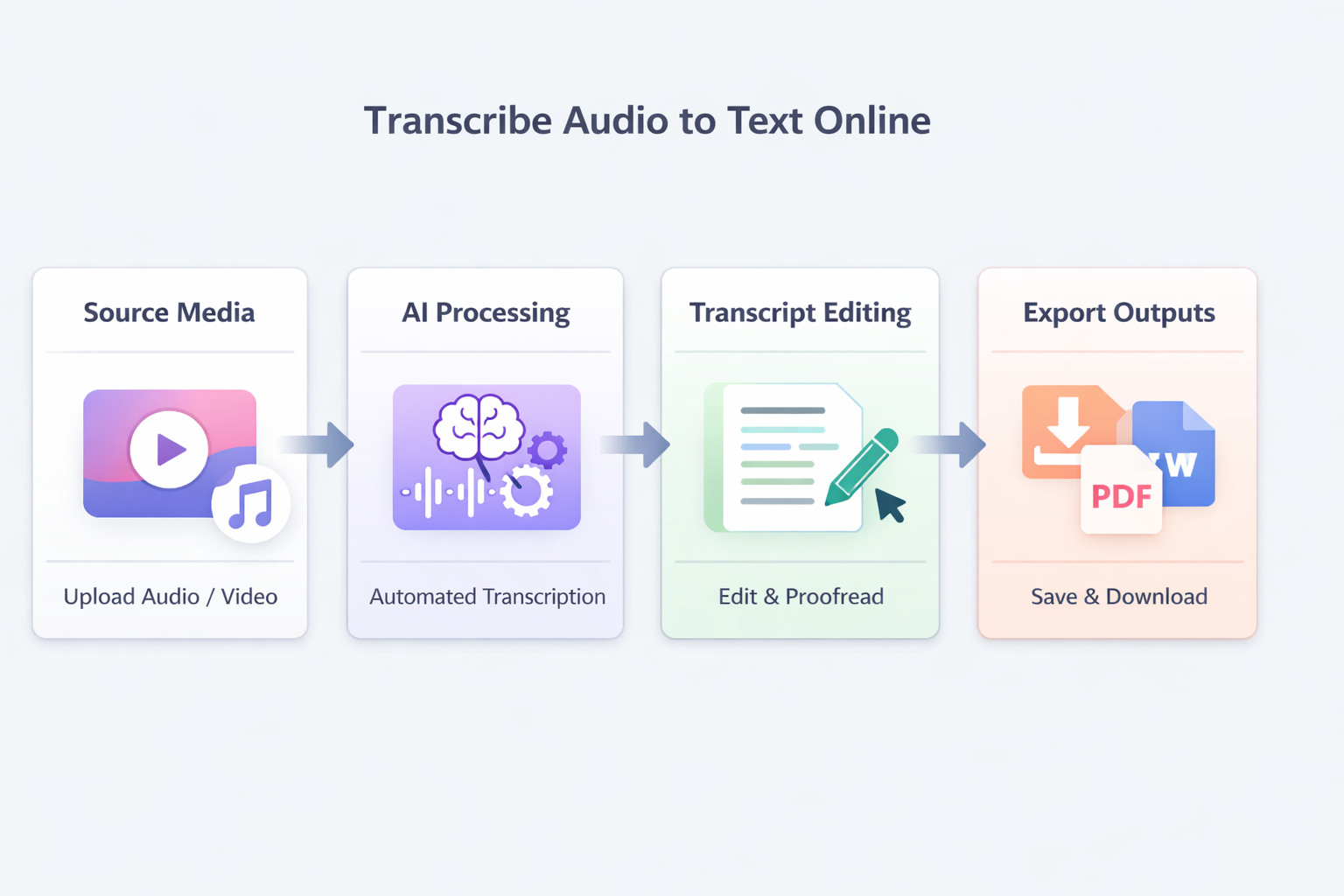
Transcription Workflow Overview
Key Benefits of Online Transcription
Time Efficiency
Convert hours of audio to text in minutes instead of spending days on manual transcription.
Content Repurposing
Transform interviews and podcasts into blog posts, social media content, and email newsletters.
Improved Accessibility
Make your audio and video content available to hearing-impaired audiences and those who prefer reading.
Enhanced Searchability
Create text versions that search engines can index, boosting your content's discoverability.
Online Transcription Service Comparison
Evaluate different approaches to transcribe audio to text online based on your specific needs and budget.
| Feature | Automated Services | Human Transcription | Hybrid Solutions | Free Tools |
|---|---|---|---|---|
Speed | Minutes | 24-48 hours | 2-12 hours | Varies |
Accuracy | 85-95% | 99%+ | 95-98% | 70-85% |
Cost | $0.10-$0.25/min | $1.50-$3.00/min | $0.50-$1.50/min | Free |
Best For | Quick drafts, clear audio | Legal, medical, formal | Balance of speed/accuracy | Personal use, testing |
Editing Required | Moderate | Minimal | Light | Significant |
Integration | API available | Manual upload | Mixed options | Basic |
Preparing Your Audio Files
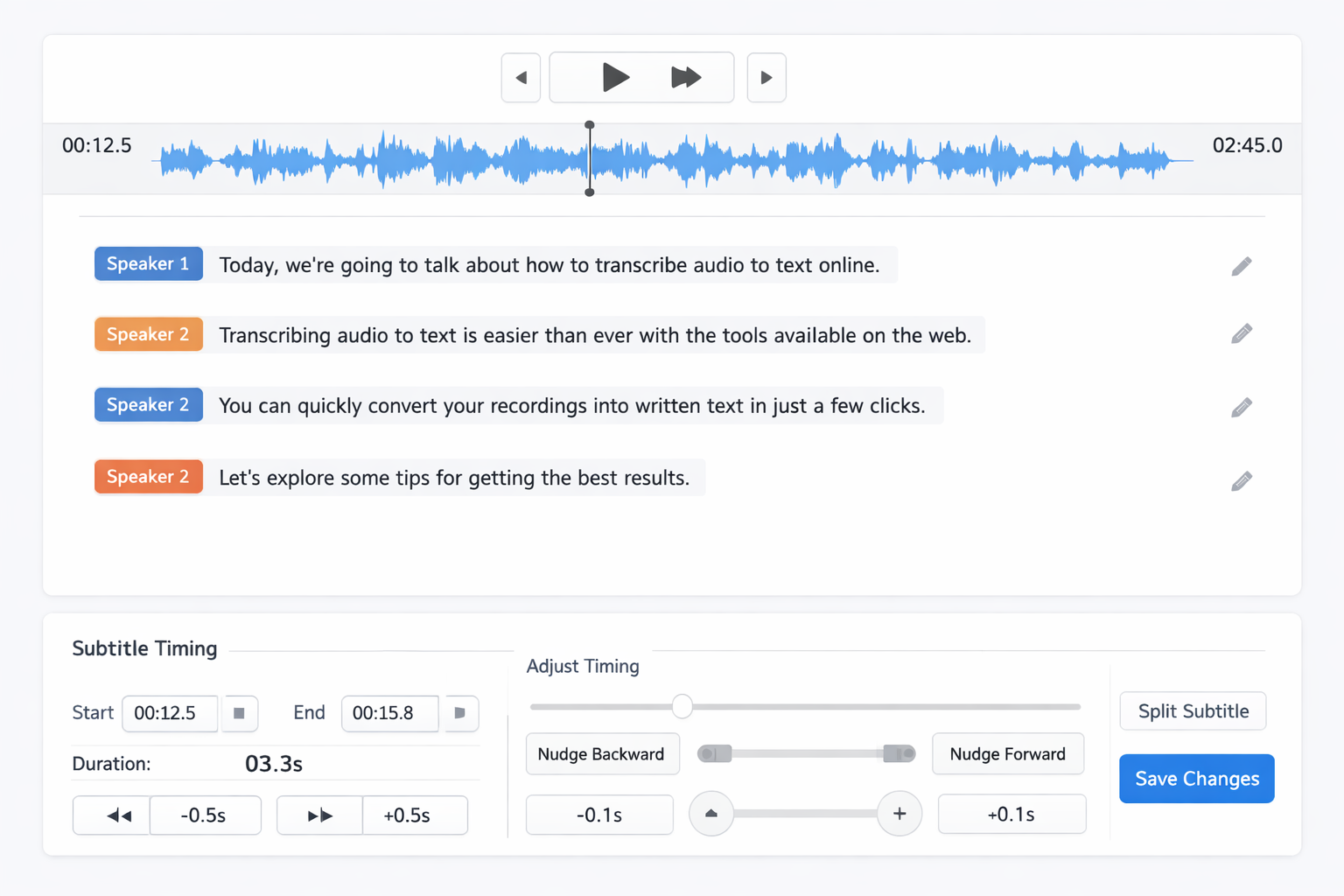
Editing Interface Example
- Choose the Right Format: Most services support MP3, WAV, M4A, and other common formats. Check specifications before uploading to ensure compatibility.
- Optimize Audio Quality: Reduce background noise, ensure speakers are clear, and consider using external microphones for important recordings.
- Provide Context When Possible: Some services allow you to add speaker names, technical terms, or industry jargon to improve recognition accuracy.
- Segment Long Recordings: Break multi-hour files into manageable chunks (30-60 minutes) for better processing and easier editing.
Pro Tip: Speaker Identification
When dealing with multi-speaker recordings, look for services that automatically differentiate between speakers. This feature saves significant editing time and creates more usable transcripts for meetings and interviews.
From Our Content Team
We regularly transcribe audio to text online for our podcast and webinar content. Here's what we've learned:
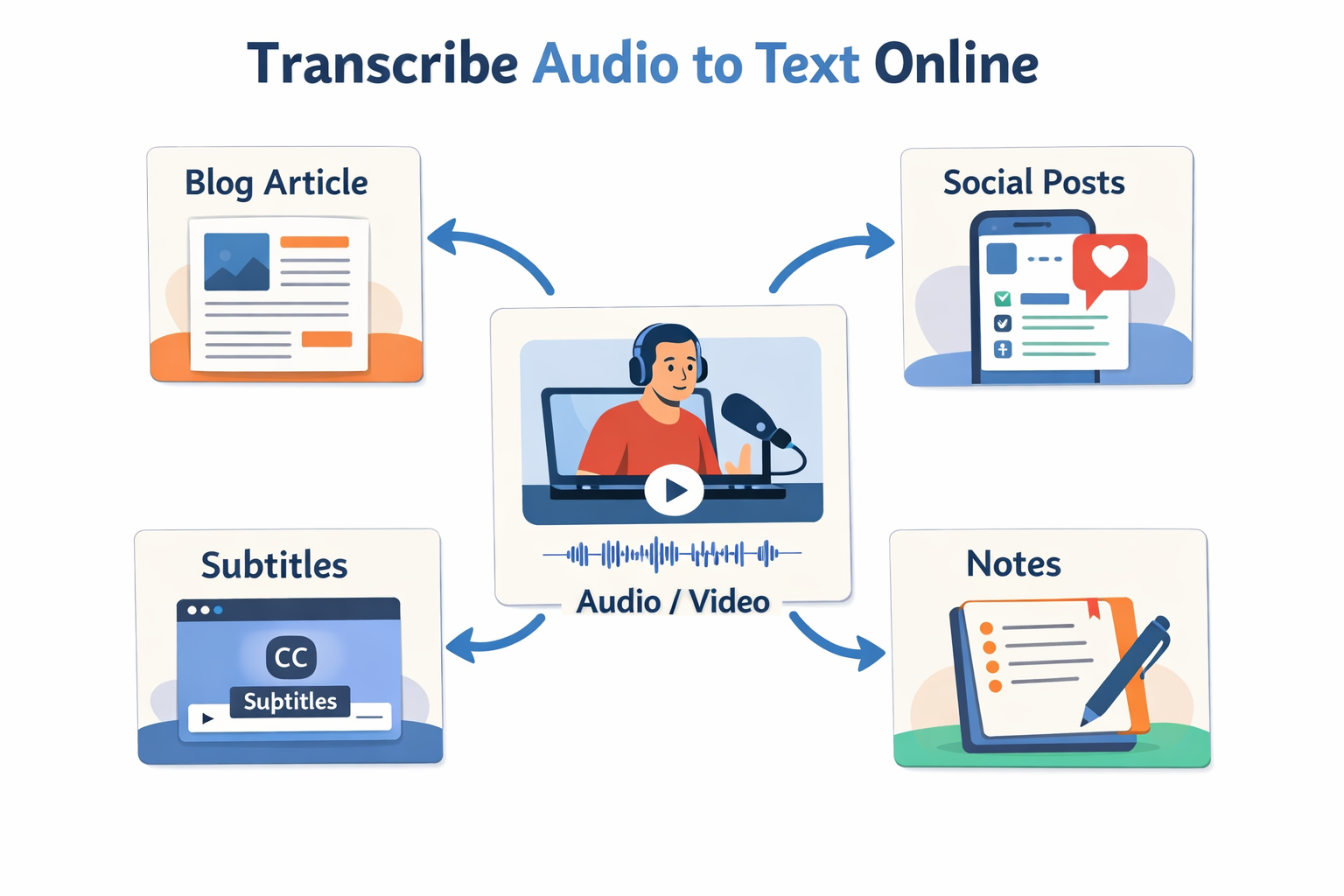
The real value isn't just in getting words on paper—it's in how you use those transcripts. We turn every interview into at least three different content pieces: a blog summary, social media snippets, and an email newsletter feature. The transcription cost pays for itself many times over.
This approach has helped us reach wider audiences while maximizing our content production efficiency.
Export Options and Formats
Putting Your Transcripts to Work: Editing and Repurposing
Once you've used an online service to transcribe audio to text online, the real work begins. Editing transforms raw transcription into polished, usable content. Start by listening to the original audio while reading the transcript to catch any errors. Pay special attention to homophones (words that sound alike but have different meanings) and technical terms that automated systems might misinterpret.
Formatting matters too. Add paragraph breaks at natural pause points, identify speakers clearly, and consider adding timestamps for video synchronization. If you're creating content for web publication, structure your transcript with headings and subheadings to improve readability and SEO.
Now for the exciting part: repurposing. A single interview transcript can become:
- A detailed blog post with key quotes highlighted
- Multiple social media posts featuring compelling snippets
- An email newsletter summarizing main points
- Slide content for presentations
- Chapter material for ebooks or reports
- Searchable documentation for internal teams
Our MP3 to text converter is particularly useful for podcasters who want to extend their content's reach through written formats.
Frequently Asked Questions About Online Transcription
How accurate are automated transcription services? Modern AI-powered services typically achieve 85-95% accuracy with clear audio. Accuracy depends on audio quality, speaker clarity, background noise, and vocabulary complexity. Most services provide editing tools to correct remaining errors.
What's the best file format for transcription? MP3 and WAV are universally supported. MP3 offers good quality with smaller file sizes, while WAV provides uncompressed audio that might yield slightly better accuracy for challenging recordings.
How long does online transcription take? Automated services typically process files much faster than the recording length—often 2-5 times faster. A one-hour recording might take 12-30 minutes to transcribe, depending on the service and current load.
Can transcription services handle multiple speakers? Yes, most quality services automatically detect speaker changes and label them as "Speaker 1," "Speaker 2," etc. Some advanced services even allow you to assign names to speakers for more readable transcripts.
Is my data secure when using online transcription? Reputable services use encryption for uploads and storage, and many offer options to automatically delete files after processing. Always check a service's privacy policy and security measures before uploading sensitive content.
Getting Started with Your First Transcription
The easiest way to begin is to choose a clear, short recording for your first attempt. This lets you familiarize yourself with the process without overwhelming yourself with hours of editing. Most services offer free trials or limited free minutes, so you can test different options before committing.
Remember that transcription is both a technical process and a creative opportunity. The goal isn't just to convert speech to text—it's to create valuable content assets that serve your audience and business objectives. With practice, you'll develop workflows that make transcribing audio to text online a seamless part of your content creation process.
Ready to transform your audio content? Start transcribing now with our easy upload interface, or explore our tools to find the perfect solution for your specific needs.
Continue Reading and Start Uploading
- Start now with the home uploader.
- Use the all tools hub to compare workflows.
- Open the blog index for more playbooks.
- Try the MP3 to text uploader for this use case.