
How to Transcribe a Lecture: Complete Guide for Students & Educators
Learn practical methods to transcribe lecture recordings using AI tools. This guide covers setup, transcription steps, editing tips, and privacy considerations for better learning outcomes.
AudioScribe Editorial Team
Showing English content because this locale has no published version yet.
Why Lecture Transcription Enhances Learning and Accessibility
Lecture transcription isn't just about creating text versions of spoken words—it's about building better learning systems. Students who transcribe lectures report higher retention rates and improved academic performance. The process of reviewing transcripts reinforces material through multiple cognitive pathways.
For students with disabilities, transcripts provide essential accommodations. Those with hearing impairments can access content they might otherwise miss, while students with attention challenges benefit from having material they can review at their own pace. Educators also find that providing transcripts improves overall course accessibility and supports international students who may need extra time with complex terminology.
Beyond individual benefits, transcribed lectures create institutional knowledge. Departments can build searchable archives of course content, making it easier to maintain curriculum consistency and develop future teaching materials. When you learn how to transcribe a lecture effectively, you're contributing to a more inclusive and efficient educational ecosystem.
Our tools page offers specialized solutions for different transcription needs, from quick classroom recordings to lengthy seminar sessions.
Optimal Recording Setup for Lecture Transcription
Key Benefits of Lecture Transcription
Improved Retention
Students who review transcripts alongside recordings show 40% better material retention compared to audio-only review.
Accessibility Support
Transcripts make lectures accessible to students with hearing impairments, attention challenges, or language barriers.
Searchable Content
Quickly find specific concepts, definitions, or examples within hours of lecture material using text search.
Study Efficiency
Create customized study guides by extracting key points from transcripts without rewatching entire lectures.
Lecture Transcription Methods Comparison
Different approaches to transcribing lectures offer varying benefits depending on your needs and resources
| Method | Accuracy | Time Required | Cost | Best For |
|---|---|---|---|---|
Manual Transcription | Very High | 4-6 hours per hour | $$$ | Legal/medical content |
AI Transcription | High (90-95%) | 5-10 minutes | $-$$ | General academic use |
Hybrid Approach | Highest | 1-2 hours per hour | $$ | Research/publication |
Live Captioning | Medium-High | Real-time | $$$ | Accessibility compliance |
Step-by-Step AI Transcription Process
Editing and Organizing Transcripts
- Recording Quality Matters: Use a dedicated recording app rather than your phone's voice memo function. Position your device within 3-5 feet of the speaker for optimal clarity. Test your setup before important lectures to ensure consistent audio quality.
- Choose the Right Format: Most AI transcription tools work best with MP3 or WAV files. Record in stereo if possible, as it helps distinguish between multiple speakers. Keep sample rates at 44.1kHz or 48kHz for balance between quality and file size.
- Pre-process Your Audio: Use noise reduction tools before uploading to transcription services. Remove long pauses and non-lecture segments to improve processing speed. Normalize audio levels to ensure consistent volume throughout the recording.
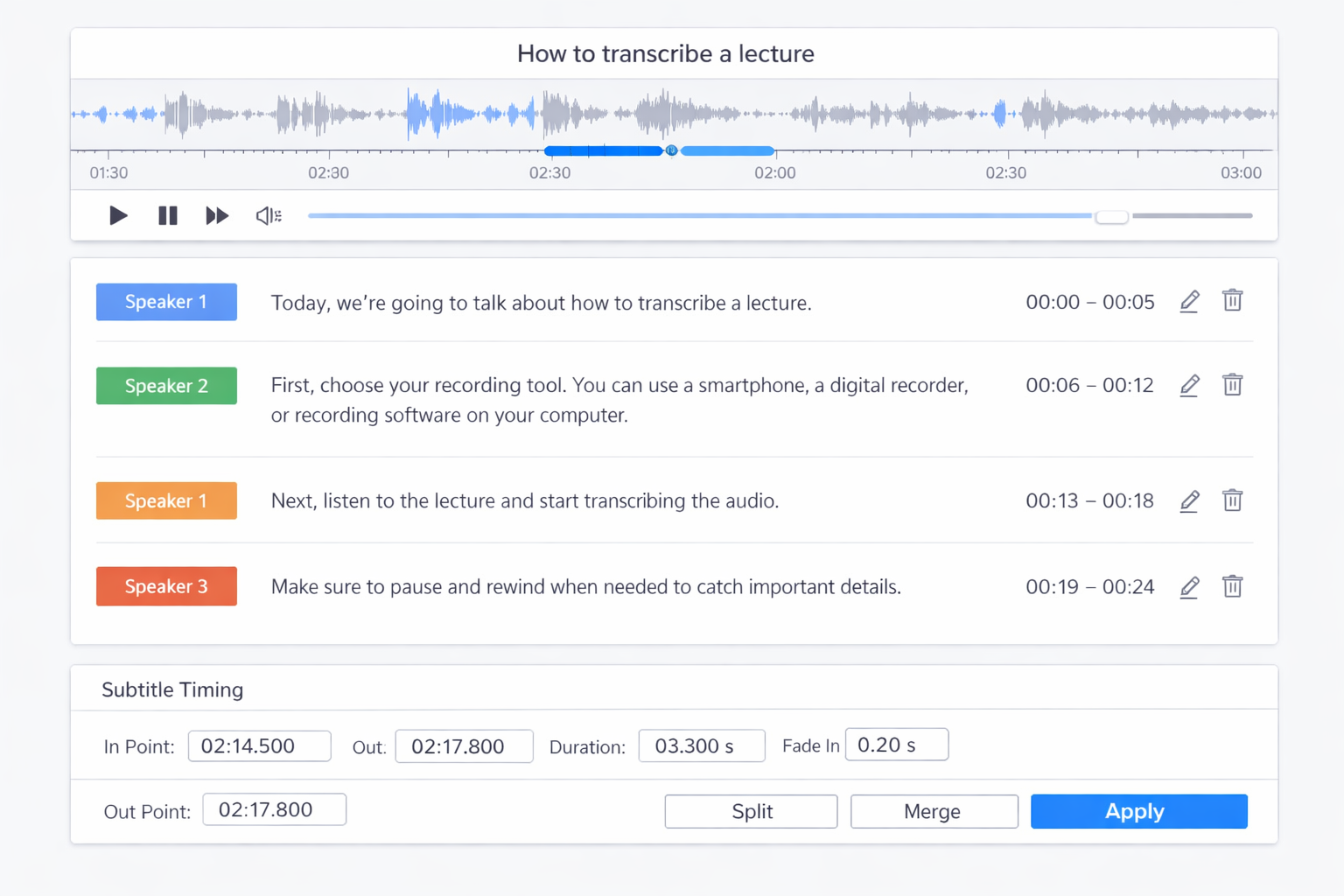
- Verify Speaker Identification: Most AI tools can identify different speakers automatically. Review and correct speaker labels during the editing phase. Add professor and student identifiers to create more useful study materials.
Privacy Considerations
Always obtain permission before recording lectures. Check your institution's policies regarding classroom recordings. Be mindful of recording discussions involving personal student information. Store transcripts securely and delete recordings after creating study materials if required by policy.
Educator Perspective
Dr. Maria Chen, Professor of Cognitive Science, shares her experience:
Providing transcripts has transformed how students engage with my lectures. International students particularly benefit from having text to reference alongside complex terminology. The time investment in learning how to transcribe a lecture properly pays dividends in student comprehension and course evaluations.
Many educators now consider transcription a standard part of course preparation.
Privacy and Ethical Recording Practices
Step-by-Step Guide: Transcribing Lecture Audio with AI
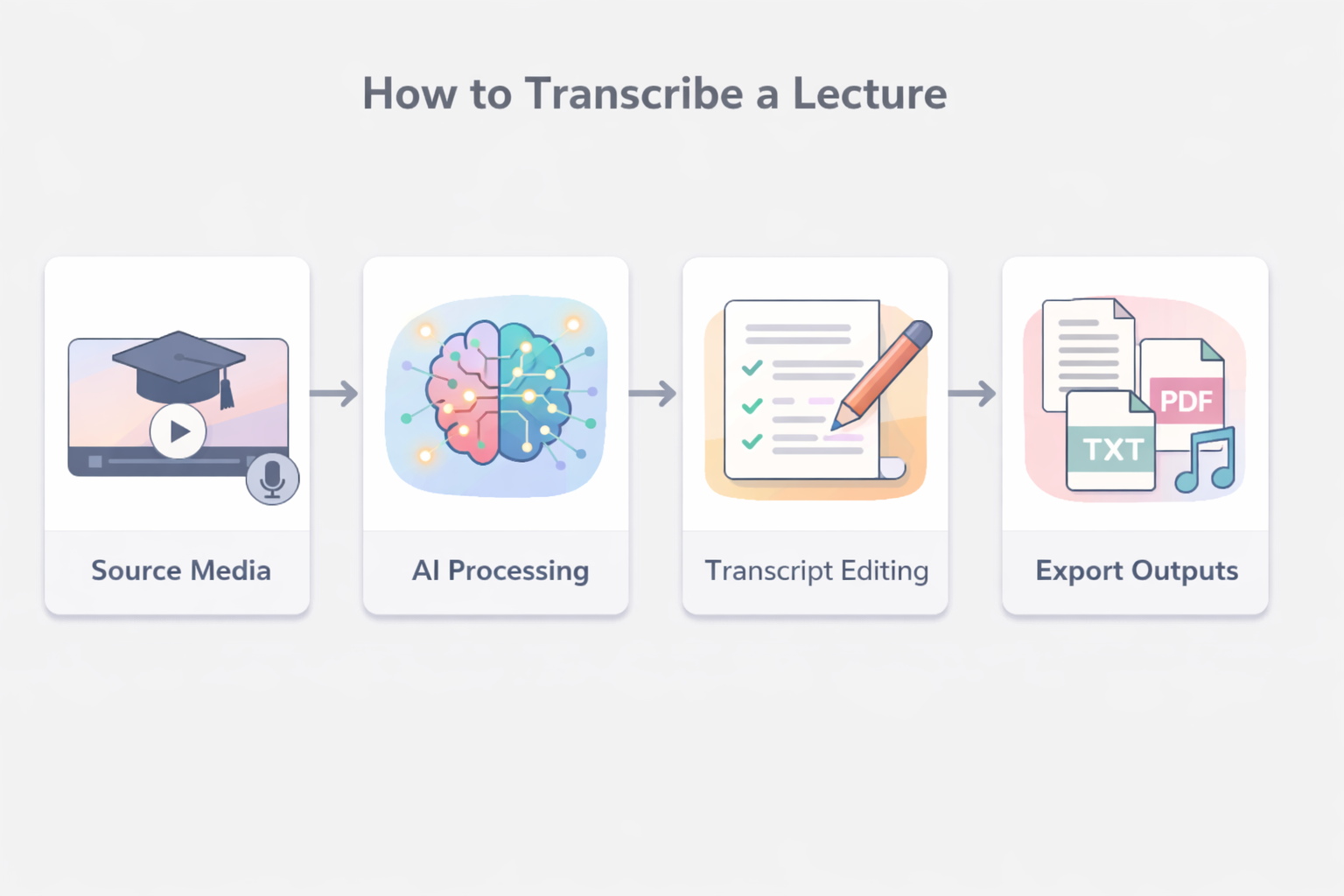
Learning how to transcribe a lecture using AI tools follows a straightforward process that delivers professional results. Here's the complete workflow:
Step 1: Prepare Your Recording Start with the highest quality recording possible. Use an external microphone if available, or position your smartphone strategically. Record in a quiet environment when possible, and avoid places with echo or excessive background noise.
Step 2: Upload to Transcription Service Choose a reliable transcription platform that supports academic terminology. Our audio-to-text converter specializes in educational content and recognizes discipline-specific vocabulary. Upload your file in a supported format—most services accept MP3, WAV, M4A, and common video formats.
Step 3: Configure Settings Select the appropriate language and accent settings. Enable speaker identification if your lecture involves multiple participants. Choose timestamp options based on how you plan to use the transcript—study review typically benefits from paragraph-level timestamps rather than word-level markers.
Step 4: Process and Review AI processing typically takes 5-10 minutes per hour of audio. Once complete, review the transcript for accuracy. Pay special attention to technical terms, proper names, and discipline-specific vocabulary that AI might misinterpret.
Step 5: Edit and Format Correct any errors and format the transcript for your intended use. Add section headers, highlight key concepts, and create a table of contents for longer lectures. This transforms raw transcription into a usable study resource.
Editing and Organizing Transcripts for Effective Study
Raw transcripts need organization to become effective study tools. Start by breaking the content into logical sections based on lecture topics. Add descriptive headers that make it easy to find specific content later.
Create a standardized formatting system:
- Use bold for key terms and definitions
- Italicize examples and case studies
- Number lists for sequential processes
- Add margin notes for your own insights
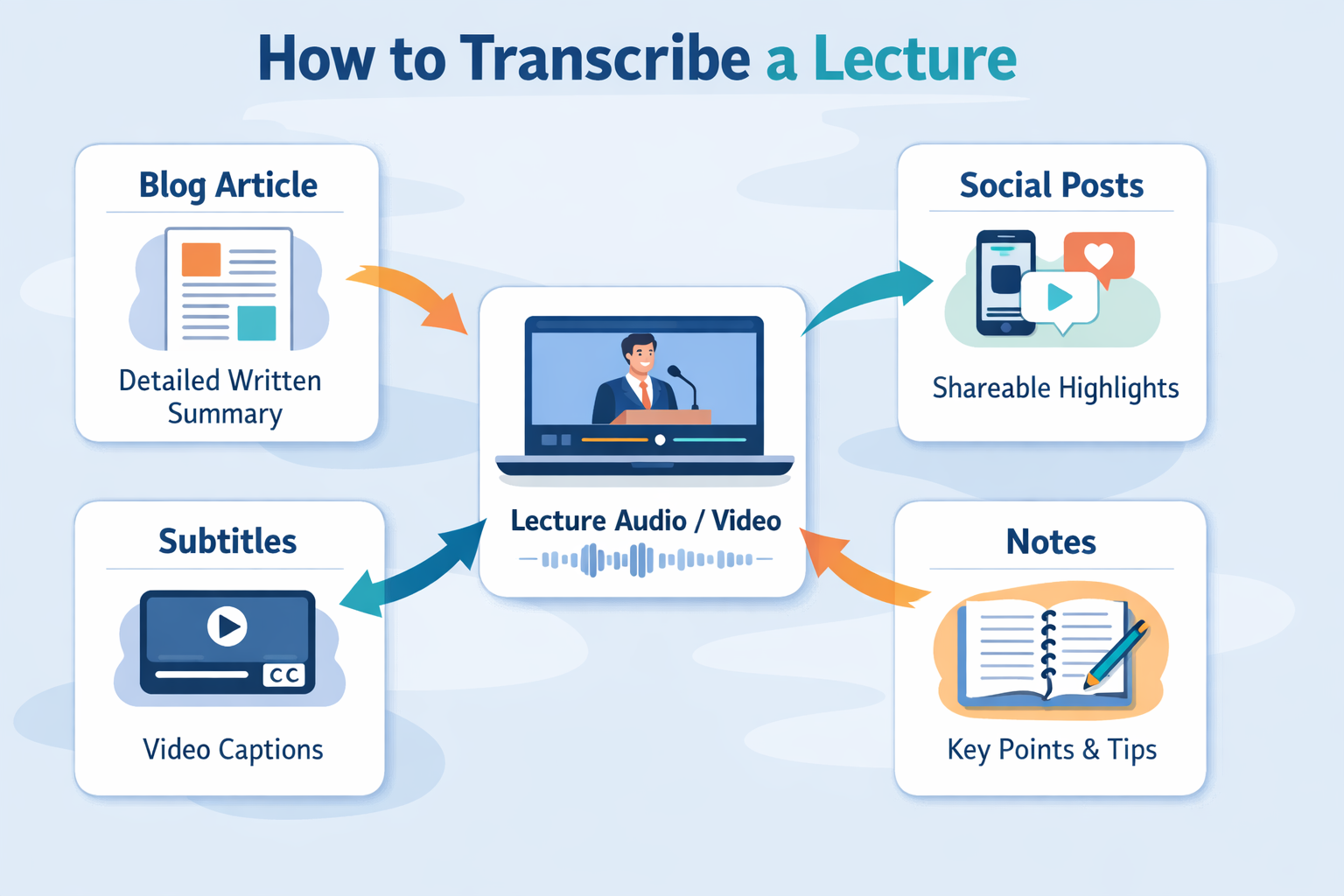
Consider creating multiple versions of your transcript:
- Full version with complete text and timestamps
- Study guide version with only key points and definitions
- Flashcard version with question-answer pairs extracted from content
Digital organization matters too. Use consistent file naming conventions (e.g., "Subject_Date_Topic_Transcript") and store files in cloud services for access across devices. Tag transcripts with relevant keywords to create a searchable personal knowledge base.
Frequently Asked Questions
What are the best tools for transcribing lectures? AI-powered transcription services offer the best balance of accuracy and speed for academic use. Look for tools that specifically mention educational or lecture transcription capabilities, as they're trained on academic vocabulary and multiple speaker scenarios.
How much does lecture transcription cost? Prices vary from free tiers with limitations to premium services costing $10-30 per month. Many students find that the time saved justifies the investment. Some institutions provide transcription services to students through accessibility offices.
Do transcription tools support multiple languages? Most major services support 50+ languages, with particularly good results for commonly taught academic languages. Check specific language support before committing to a service, especially for less common languages or regional dialects.
Can I transcribe lectures offline? Some applications offer offline transcription capabilities, though accuracy may be slightly lower than cloud-based solutions. This can be useful for situations without reliable internet access or when dealing with sensitive content.
How accurate are AI transcriptions for technical subjects? Modern AI achieves 90-95% accuracy for general academic content. Technical subjects with specialized terminology may require more editing. Many services allow you to upload custom vocabulary lists to improve recognition of discipline-specific terms.
What about lectures with multiple speakers? Advanced transcription tools can identify and label different speakers automatically. This feature is particularly valuable for seminar-style classes or lectures with frequent student participation.
Ready to transform your lecture recordings into searchable study materials? Start with our simple upload interface or explore our specialized lecture transcription tools designed specifically for academic content. Both options provide the accuracy and features students need for successful transcription projects.