
How to Transcribe Audio to Text: Your Complete 2026 Guide
Learn practical methods to convert audio to text with this comprehensive guide covering manual, automatic, and AI transcription techniques for better productivity.
AudioScribe Editorial Team
Showing English content because this locale has no published version yet.
Why Transcription Matters for Productivity and SEO
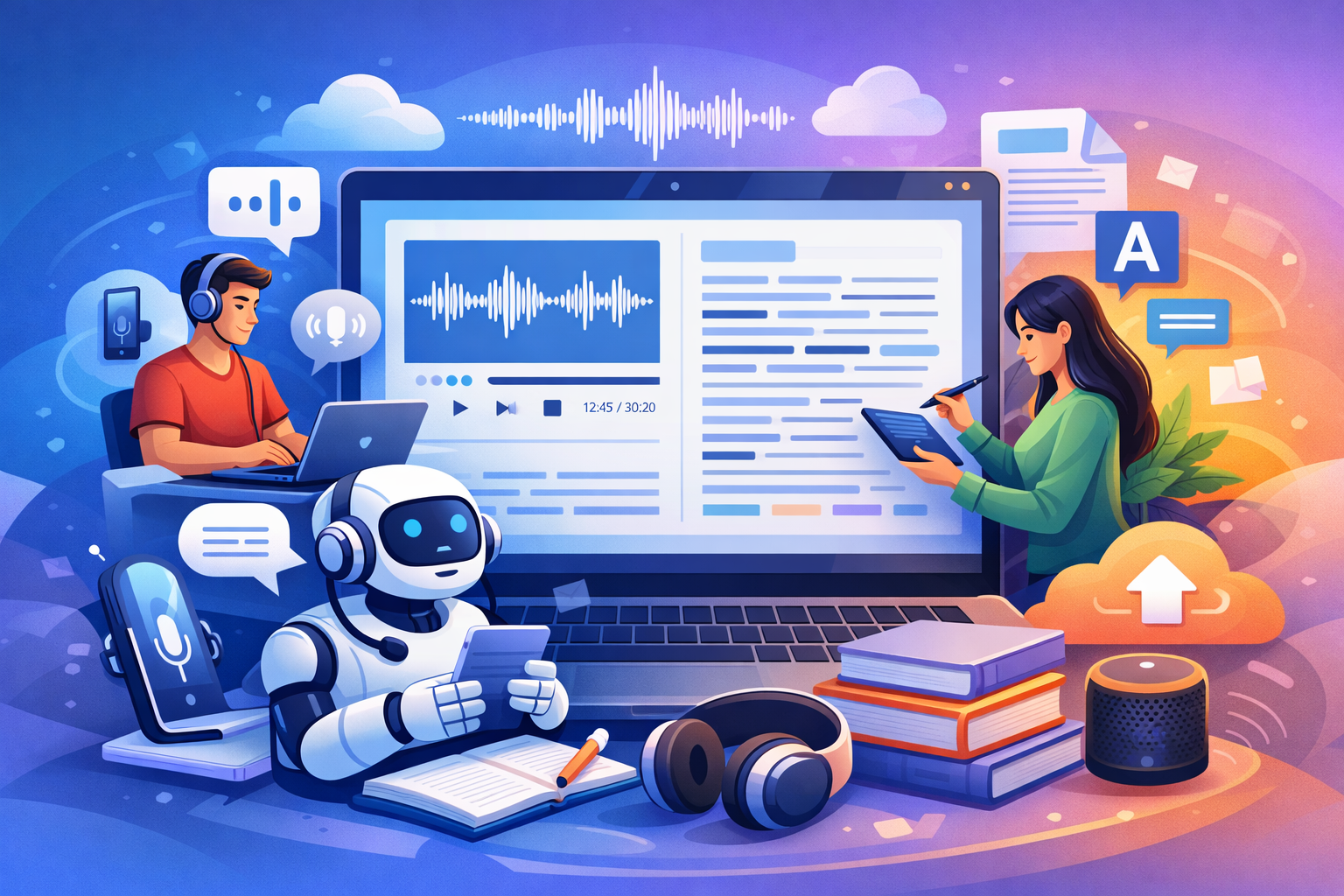
Understanding how to transcribe audio to text effectively isn't just about converting speech to words—it's about unlocking the full potential of your audio content. When you transform recordings into written form, you create multiple benefits that extend far beyond simple documentation.
For productivity, transcription eliminates the need to listen repeatedly to capture every detail. Instead of spending hours replaying interviews or meetings, you can quickly scan text documents to find specific information. This is particularly valuable for researchers, journalists, and students who need to reference source material efficiently.
From an SEO perspective, transcription creates searchable text content that search engines can index. Audio and video files alone don't provide the textual signals that search algorithms use to understand and rank content. By adding transcripts to your multimedia content, you significantly improve discoverability and reach wider audiences. This approach also enhances accessibility, making your content available to hearing-impaired users and those who prefer reading over listening.
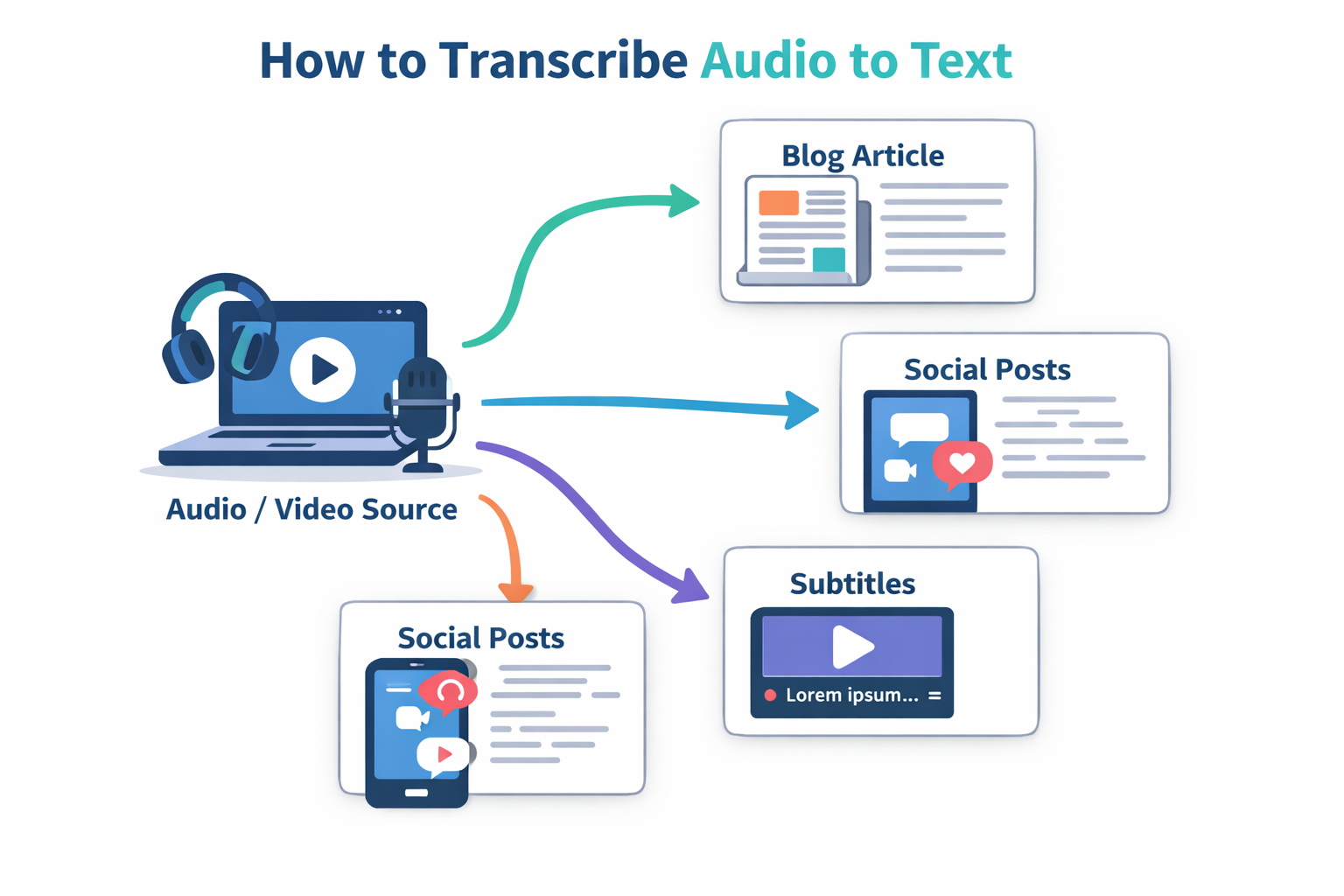
Transcription also enables content repurposing. A single podcast episode can become blog posts, social media snippets, email newsletters, and even ebook chapters. This multiplies your content's value without requiring additional recording time. For businesses, transcribed customer service calls provide valuable data for training and quality improvement.
Our tools page offers specialized solutions for different transcription needs, whether you're working with interviews, lectures, or business meetings.
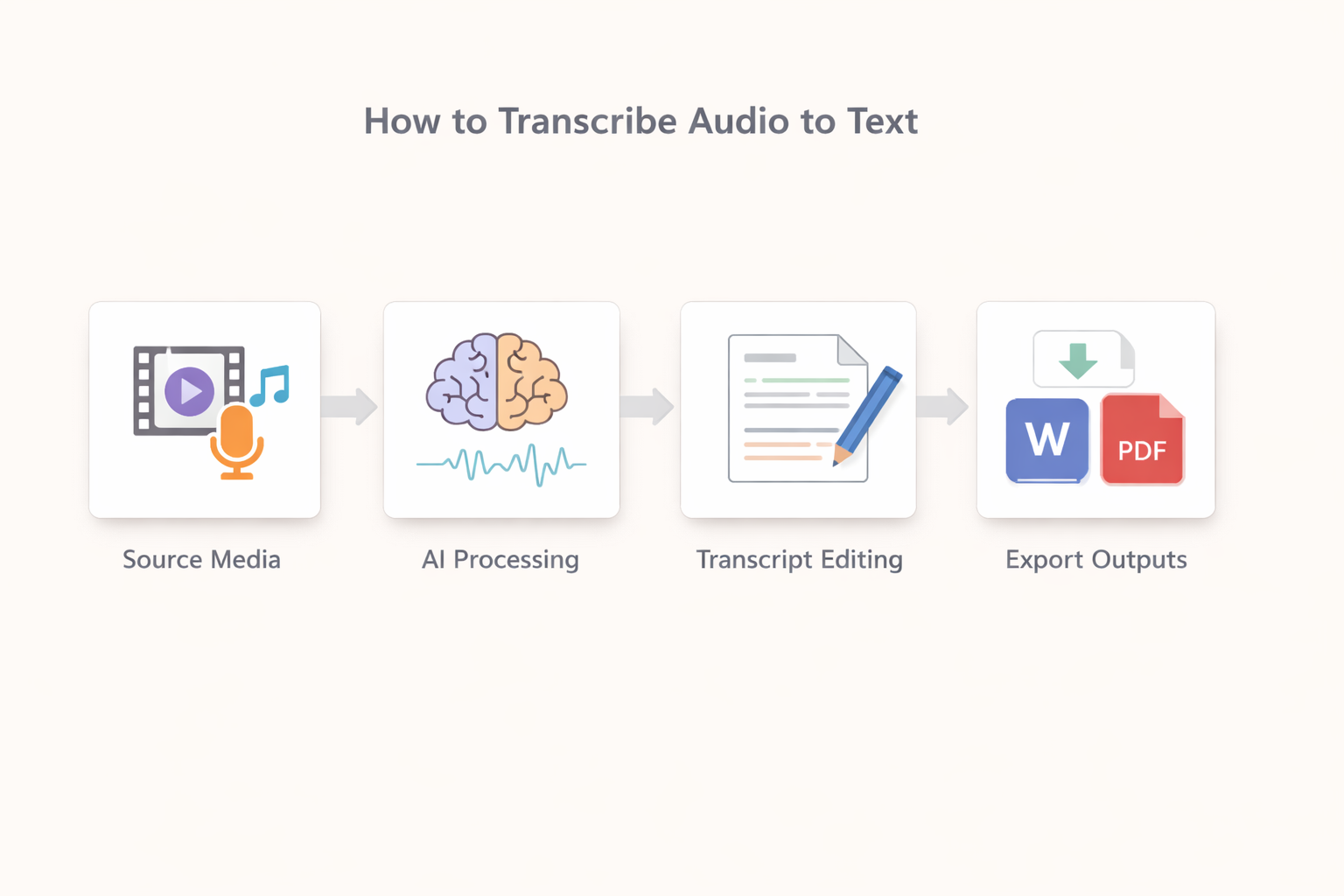
Transcription Workflow Visualization
Key Benefits of Audio Transcription
Time Efficiency
Save hours by converting hours of audio to searchable text in minutes instead of manual typing
Content Accessibility
Make audio content available to hearing-impaired users and those who prefer reading formats
SEO Enhancement
Improve search visibility by providing search engines with text content from audio and video files
Content Repurposing
Transform single recordings into multiple content formats like blogs, social posts, and newsletters
Transcription Methods Compared: Manual vs Automatic vs AI
Understanding the differences between transcription approaches helps you choose the right method for your specific needs and budget
| Method | Speed | Accuracy | Cost | Best For |
|---|---|---|---|---|
Manual Transcription | Slow (4-6 hours per hour of audio) | Very High (98-99%) | High ($1.50-$3.00 per minute) | Legal documents, medical records, academic research |
Basic Automatic | Fast (real-time to 2x) | Moderate (80-90%) | Low to Free | Personal notes, rough drafts, informal recordings |
AI-Enhanced | Very Fast (2-4x real-time) | High (90-95%) | Moderate ($0.10-$0.25 per minute) | Business meetings, interviews, content creation |
Hybrid AI+Human | Moderate (2-3 hours per hour) | Highest (99%+) | Premium ($2.00-$4.00 per minute) | Broadcast media, official publications, sensitive materials |
Transcription Accuracy Comparison
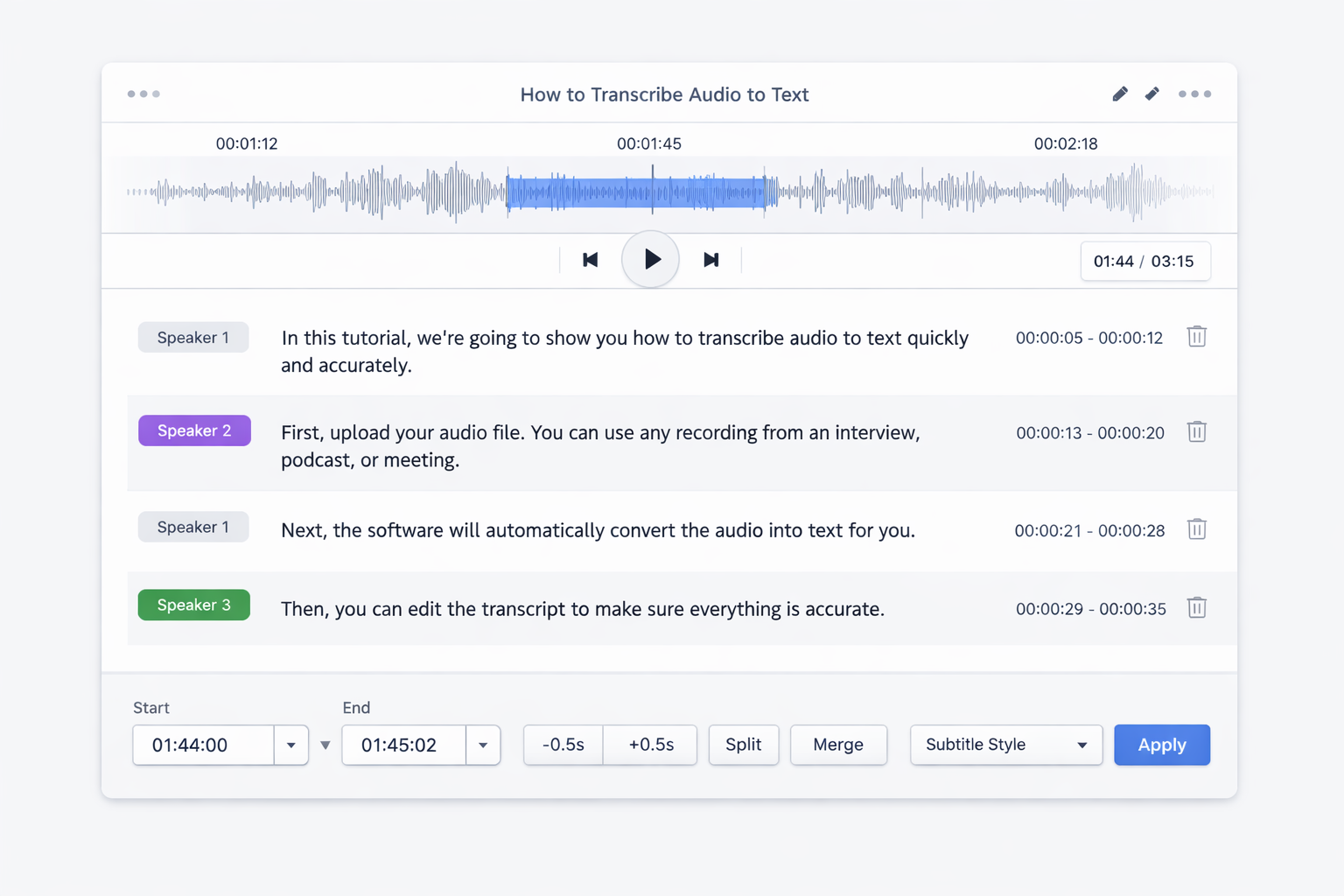
AudioScribe Interface Example
- Step 1: Prepare Your Audio File: Start with clean audio by reducing background noise and ensuring clear speech. Convert files to supported formats like MP3, WAV, or M4A for optimal processing.
- Step 2: Upload to AudioScribe: Drag and drop your file or select it from your device. Our system automatically detects language and audio quality to apply the best transcription settings.
- Step 3: Review and Edit: Use the built-in editor to correct any recognition errors, add speaker labels, and format the text according to your needs.
- Step 4: Export and Use: Download your transcript in multiple formats including TXT, DOCX, SRT for captions, or directly integrate with other platforms.
Pro Tip
For best results when learning how to transcribe audio to text, record in quiet environments with quality microphones. Clear audio significantly improves transcription accuracy across all methods.
Expert Insight
Content strategist Maria Chen shares her perspective on transcription:
Transcription transformed how we create content. What used to take days of manual work now happens in hours, allowing us to focus on strategy and quality rather than mechanical tasks.
This efficiency gain is why more professionals are adopting transcription tools in their workflows.
Export Format Options
Tips for Improving Transcription Accuracy
Learning how to transcribe audio to text effectively involves more than just choosing the right tool. The quality of your source audio dramatically impacts results. Here are practical tips to ensure the best possible transcription outcomes.
Audio Preparation: Before uploading, use audio editing software to reduce background noise and normalize volume levels. Remove sections with overlapping speech or excessive crosstalk, as these challenge even advanced transcription systems. If working with multiple speakers, consider recording each person on separate channels when possible.
Microphone Selection: Invest in a quality microphone suited to your recording environment. Condenser microphones work well for studio settings, while dynamic microphones handle noisy environments better. Lavalier microphones provide consistent audio quality for interviews and presentations. Position microphones 6-8 inches from speakers' mouths for optimal clarity.
Recording Environment: Choose quiet spaces with minimal echo. Soft furnishings like carpets, curtains, and furniture help absorb sound reflections. Avoid rooms with hard surfaces that create reverberation. When recording remotely, encourage participants to use headphones to prevent audio feedback and ensure everyone speaks clearly and at consistent volumes.
Speaker Clarity: Encourage speakers to articulate clearly and avoid speaking too quickly. Provide guidance on maintaining consistent volume and minimizing filler words. For group recordings, establish speaking protocols to prevent interruptions and overlapping dialogue.
Export Options and Use Cases
Once you've mastered how to transcribe audio to text, the real value comes from applying transcripts to practical scenarios. Different export formats serve specific purposes, so understanding your options maximizes utility.
Blog Content Creation: Convert podcast episodes or interviews into blog posts by editing transcripts into readable articles. Add headings, format quotes, and incorporate relevant links. This approach creates SEO-friendly content that reaches audiences who prefer reading over listening.
Video Captions and Subtitles: Export SRT or VTT files to add captions to videos. This not only improves accessibility but also increases viewer engagement, as many people watch videos with sound off. Captions also boost SEO by providing text that search engines can index.
Research and Analysis: Use plain text exports for qualitative analysis, keyword extraction, or sentiment analysis. Researchers can code transcripts for themes, while businesses can analyze customer feedback from recorded calls.
Meeting Documentation: Create searchable archives of business meetings that team members can reference later. This eliminates confusion about decisions and action items while providing historical context for future planning.
Educational Materials: Transform lectures and workshops into study guides, handouts, or online course materials. Students appreciate having written references alongside audio or video content.
For specialized needs like converting YouTube videos, explore our dedicated YouTube to text solution that handles video platform integration seamlessly.
Frequently Asked Questions
How much does transcription cost? Costs vary by method and service level. Basic automatic transcription can be free or low-cost, while human transcription services range from $1.50 to $4.00 per minute. Many services offer tiered pricing based on turnaround time and accuracy requirements.
What accuracy can I expect? Accuracy depends on audio quality and transcription method. Clean recordings with clear speech typically achieve 90-95% accuracy with AI tools, while human transcription reaches 98-99%. Background noise, accents, and technical terminology can reduce accuracy.
Which languages are supported? Most modern transcription tools support major languages including English, Spanish, French, German, Chinese, and Japanese. Advanced systems handle dozens of languages with varying accuracy levels. Always verify language support for your specific needs.
Is my audio data private? Reputable transcription services implement strong privacy measures including encryption, secure data handling, and clear data retention policies. Review privacy terms to understand how your audio is processed and stored.
Can I transcribe live audio? Yes, many tools offer real-time transcription for meetings, interviews, and events. These systems provide immediate text output, though accuracy may be slightly lower than post-processing of recorded audio.
How long does transcription take? Processing time varies from real-time for live transcription to several hours for human-reviewed transcripts. Most automated systems complete processing within minutes, depending on audio length and server load.
Ready to put these insights into practice? Begin by uploading your first audio file, or explore our comprehensive tools collection to find specialized solutions for your specific transcription needs.